Easi-Scan:Go
$$
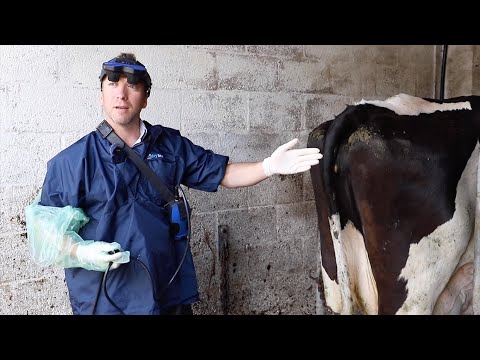
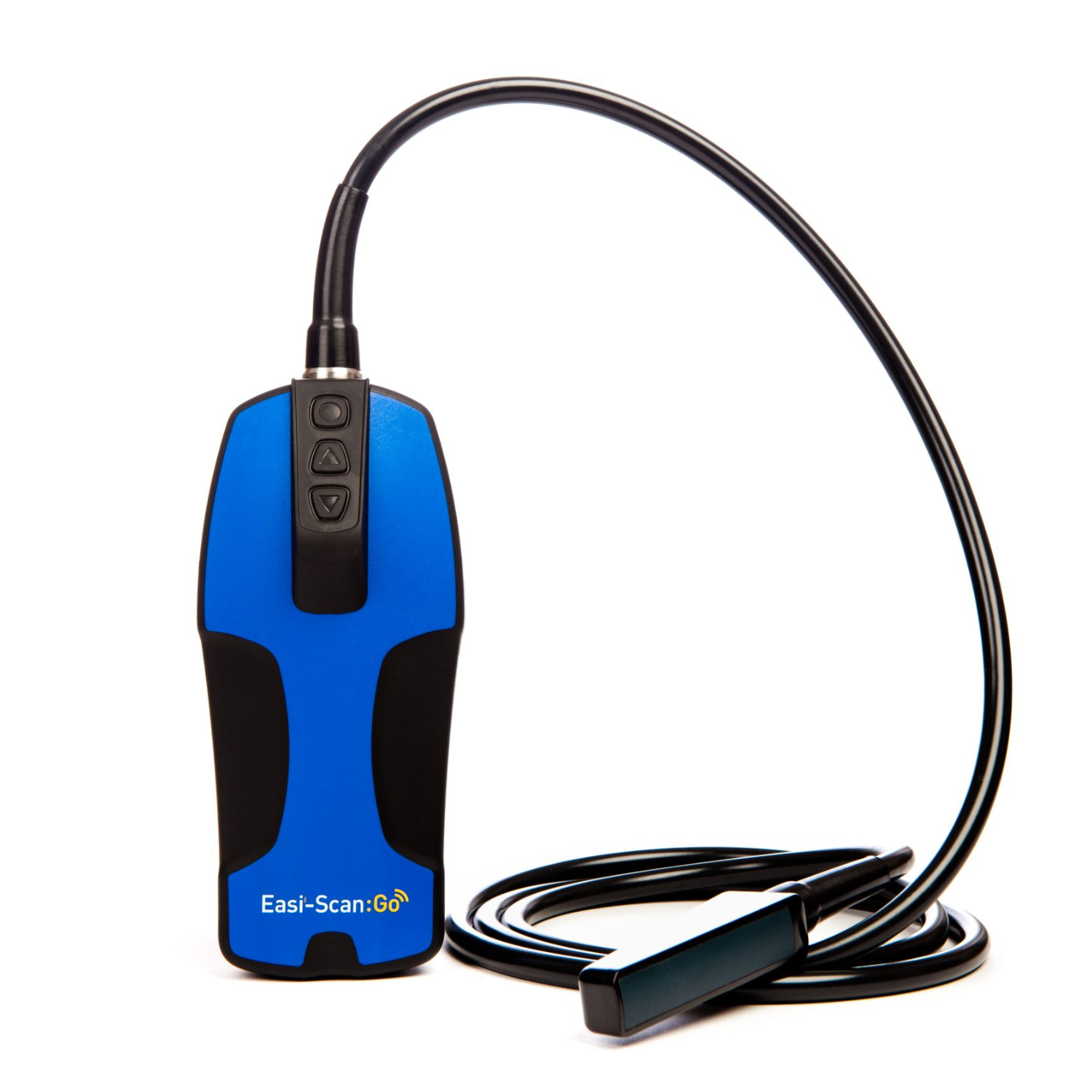
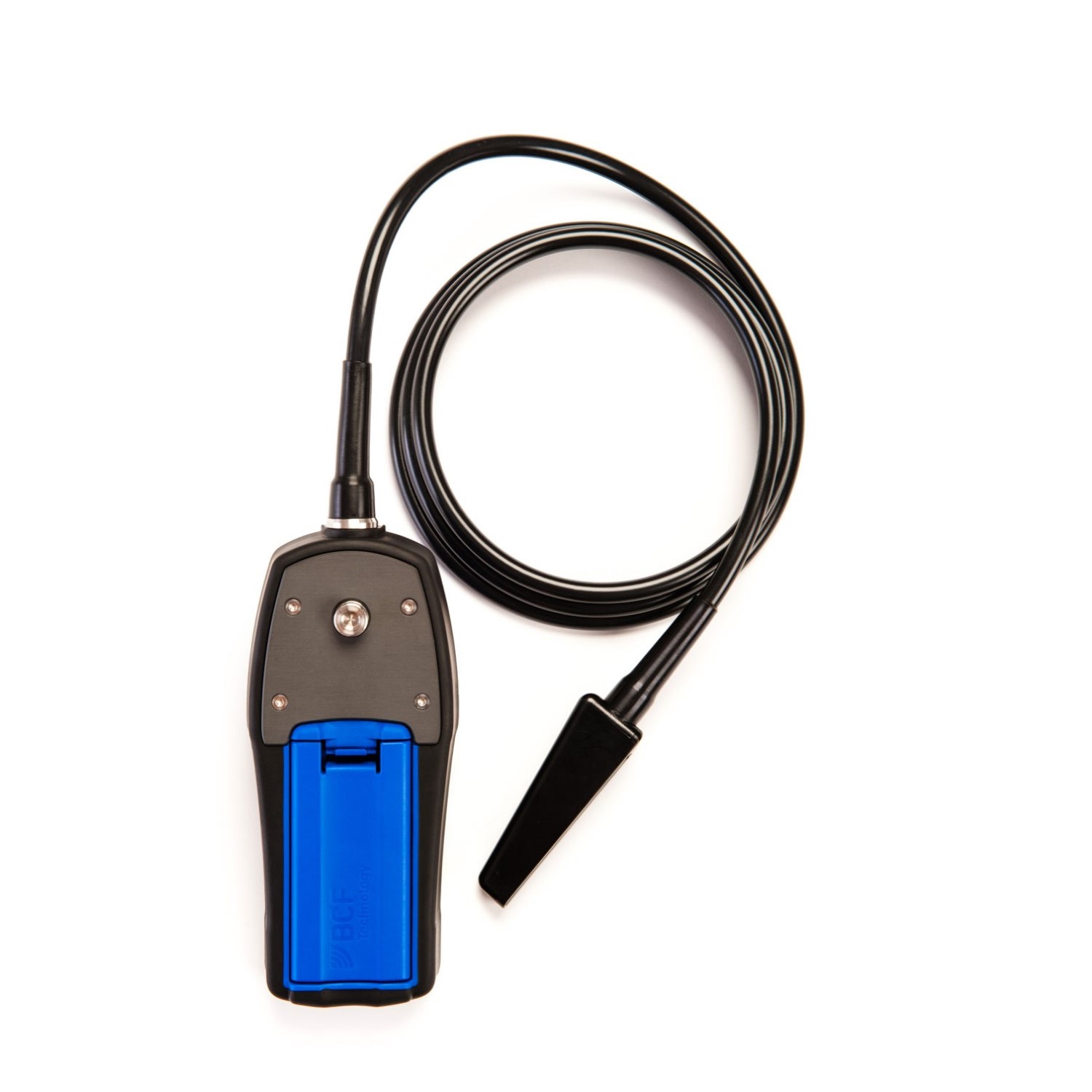
The Easi-Scan:Go integrates seamlessly with the modern farm. It is a wireless, app-based scanner that can present the ultrasound image on up to three devices simultaneously. The Easi-Scan:Go offers excellent image quality and a purpose-built design and is the ultrasound system of choice for hundreds of cattle veterinarians globally.
The app has measuring capabilities, which allows for the calculation of gestational age on various species, as well as enabling the user to save videos and images to their smart device.




-
Size: 90 x 83 x 62 (mm); Weight: 800g
Small and light weight. Attach the scanner to your belt using the spider-clip attachment.
- Protective coating: IP67* rated; glass filled polypropylene casing; TPE overmold
Easi-Scan:Go is a complete sealed unit. The scanner is durable, dust tight and waterproof.
- Output Wi-Fi frequency: 2.4-5.2 GHz
Onboard Sound-Link (IMV's exclusive wireless data transmission platform) and Smart-Beam technology produce real-time images, eliminate image lag, and reduce power consumption.
The default Wi-Fi channel is in the 5 GHz range.
* IP67 rated: Protects against contact with objects greater than 1mm in diameter (e.g., wire or tool). Complete protection against dust. Protects against short periods (<30 mins) of immersion in water (max. 1m depth).
https://www.youtube.com/watch?v=6wGdTACGq6U
- Battery-life: 5 hours run-time / 5.5 hours charge time
Removable lithium-ion battery. It is best to charge at 25°C, as charging the battery at higher temperatures may shorten battery lifetime. When idle, the scanner enters low power mode, conserving battery use.
- Chargers
Use the manufacturer supplied DC power adapter or 12V vehicle accessory socket.
- Broadband straight linear rectal probe (4.5-8.5 MHz)
Active array length 64 mm. 128 element crystal array.
Scanning depths of 6cm, 8cm, and 12cm.
- Fixed Broadband curved rectal probe (4.5-8.5 MHz)
Active array length 64 mm. 128 element crystal array.
Scanning depths of 8cm, 12cm, 16cm and 24cm.
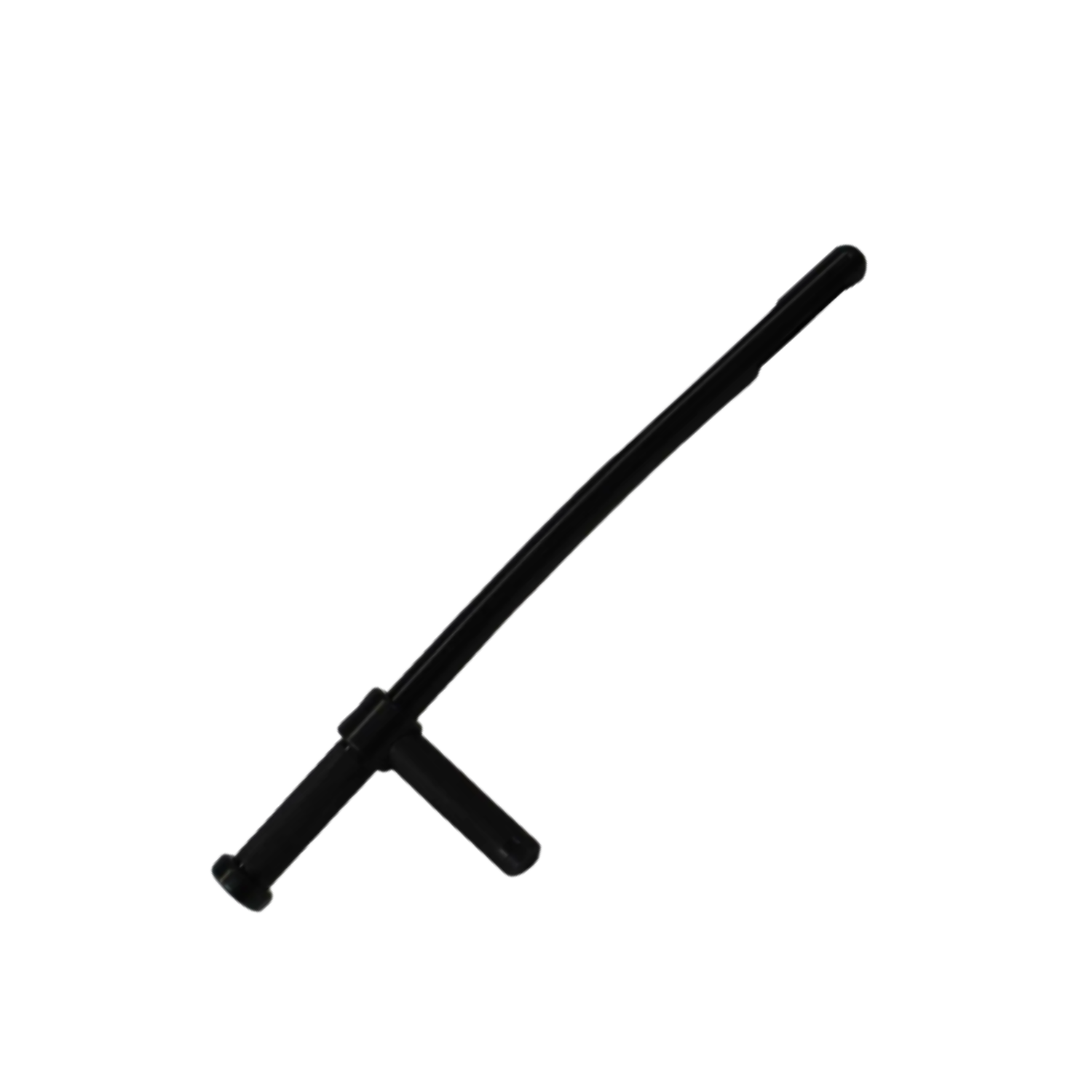
- Probe Introducers (Heifer and Cow)
Our dedicated probe introducer allows you to enjoy arms free scanning.
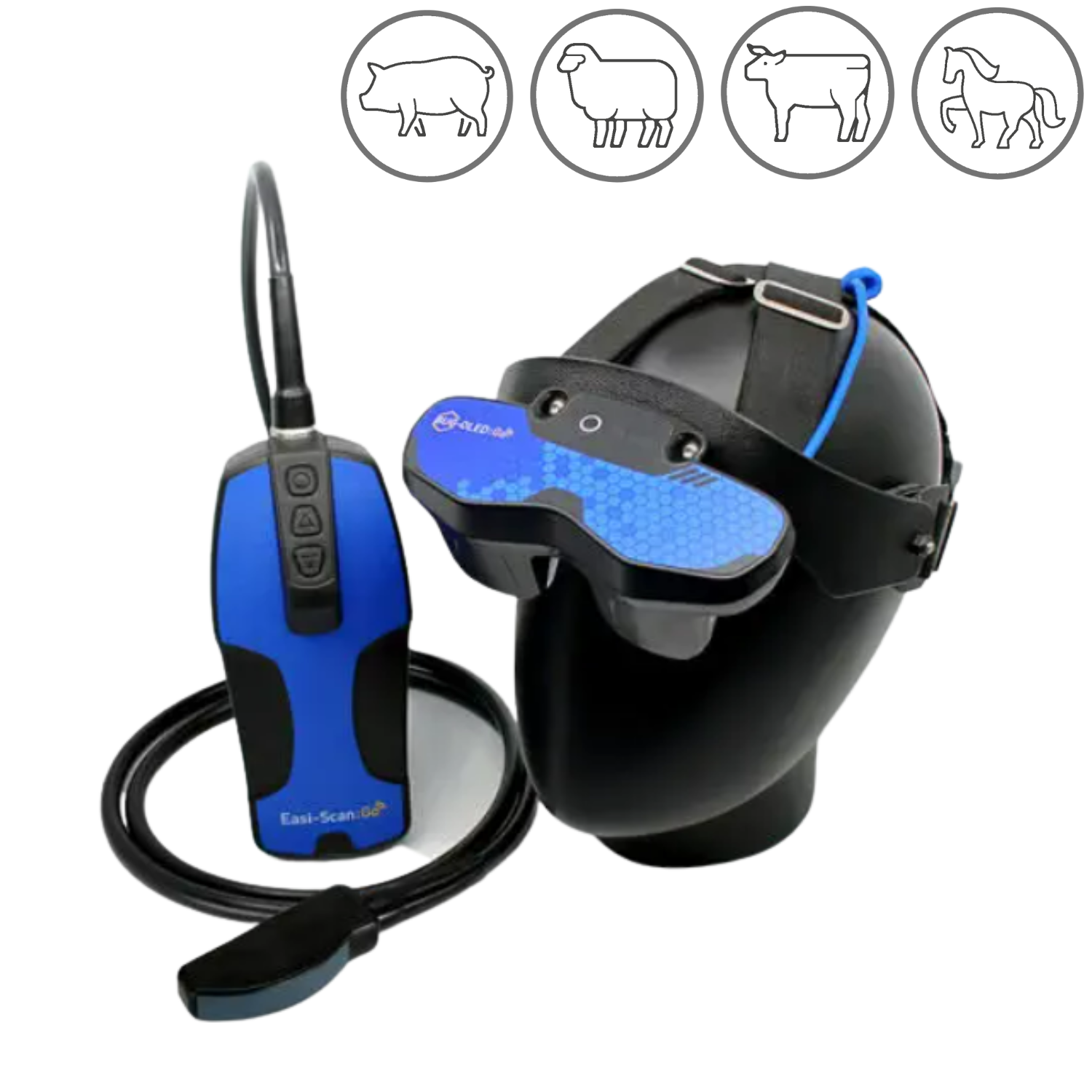
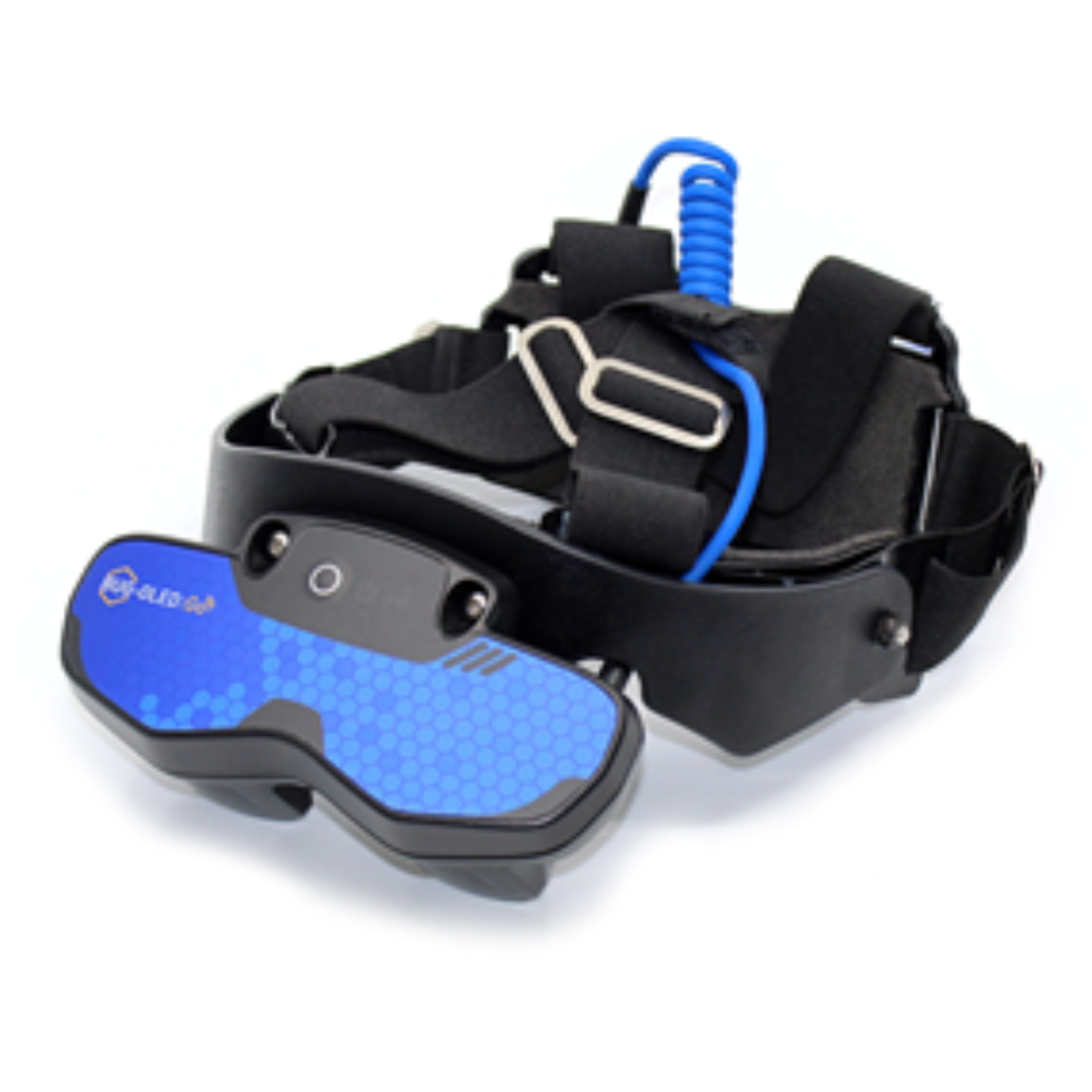
- Viewing: OLED Bug Goggles, Smartphone, Tablet
Using the Go-Scan App, the scanner can connect to three smart devices. The OLED Bug Goggles provide superior imaging and reduce sunlight interference. Securely attach your phone with the Quad-Lock wrist mount for smartphone viewing.
- Storage: Image, Video, Cine loop, Diagnostic Data
Ensure you have enough storage capacity before starting your day. Use your linked smart device to save images, videos, and cine loops directly from the Go-Scan App.
Store up to 100 images on the scanners’ internal memory. Images are retained after power off and can be download to the app later.
Download cine loops before switching off the scanner to prevent data loss.
Upload all diagnostic data to the IMV Cloud via Scan-Share and analyse or share with farmers at a later date.
Enhance veterinarian-client relationships and provide a benefit-rich service by using the Visits ToDo App and Farm Management Systems.
- Ensure efficient workflow on the farm with the Visits ToDo App: record diagnostic data, plan appointments and communicate with customers.
- Connect with the Farm Management System and display comprehensive cow health data on the ultrasound image, e.g., age and insemination date.
Maximise the use of your Easi-Scan:Go for both full-fertility and non-reproductive applications and revolutionise herd-health management.
- Optimise reproductive herd health with accurate pregnancy detection, fetal gender identification, gestational age determination, and twin pregnancy diagnosis.
- Identify open cows with Colour Flow Doppler Mapping: examine corpus luteum blood flow 18 days post-insemination to confirm a negative pregnancy.
- Non-reproductive applications can also optimise patient health, e.g., lung scanning, and body condition assessment.
In light of the high prevalence of infectious livestock diseases in South Africa (including FMD), follow our four Best Practice Tips for Disinfecting Your Portable Ultrasound Unit. For more detailed information on products proven safe for equipment and effective against FMDV, click on the FAQ tab or download the Easi-Scan:Go Biosecurity PDF above.
- Disinfect between individual animals and farms.
- Use wipe-based disinfectants only.
- Allow correct contact time.
- Avoid liquids near connectors and cables.
Frequently Asked Questions
Why won’t my Easi-Scan:Go scanner switch on?
Press and hold the power button until the power LED illuminates (approximately 3 seconds).
Ensure that the battery is fully charged (all LEDs solid blue).
How do I know if my Easi-Scan:Go battery is charged?
Check charging dock LEDs. The LED sequence indicates the level of battery charge.
|
One blue flashing LED |
Charging. Charge level is below 33% |
|
First LED solid blue. Second LED flashing blue |
Charging. Charge level is below 66% |
|
First and Second LEDs solid blue. Third LED flashing blue |
Charging. Charge level below 100% |
|
All LEDs solid blue |
Fully charged. |
|
All LEDs flashing yellow |
Temperature is too high (>45°C) for safe charging |
|
All LEDs flashing blue |
Temperature is too low (< 0°C Celsius) for safe charging |
What do the Easi-Scan:Go Power lights and Wi-Fi lights mean?
|
POWER LED |
|
|
Flashing blue |
Scanner is booting. |
|
Solid blue |
Scanner is running. Battery is above 66% charge. |
|
Solid yellow |
Scanner is running. Battery 33-66% charged. |
|
Flashing yellow |
Scanner is running. Battery is below 33% charge. |
|
WI-FI LED |
|
|
Flashing blue |
No viewing devices connected. |
|
Solid blue |
Connected to viewing device. |
|
BOTH LEDs |
|
|
Flashing yellow |
Scanner software is updating. |
|
Solid yellow |
Scanner is resetting to factory settings. |
Why can’t I find my scanner on my smart device Wi-Fi settings page?
The Easi-Scan:Go's default Wi-Fi channel is in the 5 GHz range. If your smart device does not support this range (older/budget devices), change the scanner to a channel in the 2.4 GHz:
- Ensure the scanner is on and no devices are connected—Wi-Fi LED flashing blue.
- Press the power button twice and the scanner will switch to the next channel.
- Check which channel the scanner is using to optimise your connection—various apps exist, e.g., WiFi Analyzer app for android devices.
Please note that the 2.4 GHz band is more susceptible to interference and is not recommended.
Frequently Asked Questions
How do I disinfect my Easi-Scan:Go (scanner, probe, and goggles)?
- Power Off: Ensure the scanner is off and disconnected from all power sources before cleaning.
- Clean First: Remove all lube, manure, and dirt with a lint-free cloth. Use a mild soap solution if needed.
- Dampen, Not Soak: Dampen a microfibre cloth with proven safe disinfectant. Wipe-based disinfectants are the safest option, as soaking can compromise probe seals and cause permanent damage when non-approved chemicals are used.
Never spray disinfectants (or any liquid) directly onto the scanner unit. - Wipe Gently: Wipe down the entire scanner, probe, probe introducer, and OLED Bug Goggles. Do NOT use alcohol cleaners on the Goggle lenses. Use optical lens wipes to clean your Goggles.
- Correct Contact Time: Allow adequate ‘wet’ contact time to ensure all targeted pathogens are inactivated (disinfectant dependent).
- Dry Completely: Let the scanner and transducer air-dry before turning back on.
What disinfectants are effective against FMDV and safe to use on my portable scanner?
Because Foot and Mouth Disease Virus (FMDV) is non-enveloped, it is highly resistant and requires specific pH levels (< 5.0 or > 11.0) to be fully inactivated.
The following nine products are tested and proven compatible with the Easi-Scan:Go transducer and device components when used correctly. Adhere to the correct ‘wet’ contact time to ensure FMDV biosecurity (refer to disinfectant safety data information for specifics).
- Mild soap solution (for pre-cleaning)
- Isopropyl alcohol 70%
(wipe only – do not soak; Do NOT USE on OLED Bug Goggle Lenses) - T-spray II (quaternary ammonium)
- Opti-Cide 3 (quaternary ammonium / isopropyl alcohol)
- Cidex (glutaraldehyde 2%)
- Cidex Plus (glutaraldehyde 2%)
- Cidex OPA (glutaraldehyde 2%)
- Anios Wipes (Incidin Plus 1%)
- Cidalkan Wipes (Sani-Cloth HB)
*Repeat disinfectant application may be necessary in hot environments due to rapid evaporation.
Remember to dilute concentrated disinfectants as per product labels.
Do not mix acid and alkaline disinfectants – they neutralise each other when combined.
Which products must I avoid when disinfecting my Cattle Ultrasound Unit?
Avoid damaging your reproductive scanner (probe or casing) and do NOT use the seven disinfectant products below:
- Acetone
- Methanol
- Mineral Oil
- Iodine
- Freon
- Industrial Cleaners
- Materials containing perfumes or cleaners
WARNING: Never soak your transducer or probe in alcohol, bleach (sodium hypochlorite), or hydrogen peroxide. Soaking can compromise probe seals and cause permanent damage.